One workspace for every client,
one bill for every keyword.
Group each client’s projects together, invite the whole team, and give every client a live report in your brand. You pay for keywords across the roster, never per client, project or seat.
 shopify.comCanada · en
Clients
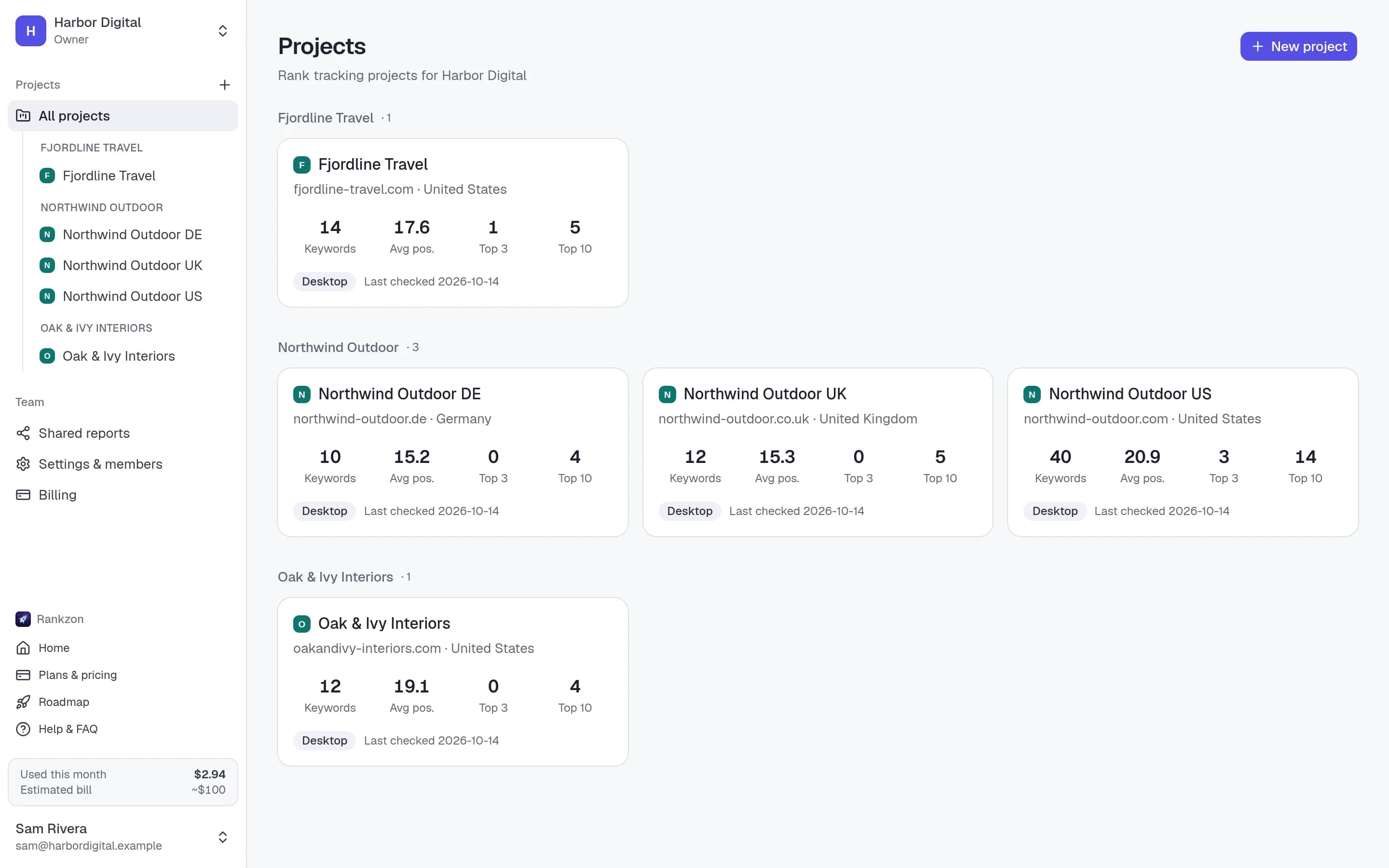
Every client in one control room
Projects are grouped under the client they belong to. See who climbed and who slipped across the whole roster, then drill into any site, market or keyword.
Keywords are counted across the workspace, so one big client and five small ones add up to one bill, and billing shows usage by client and project, ready for your own invoicing.
Unlimited
Only keywords are metered
Most trackers charge $50–$200 a month before you add a single client, and more per seat or project after that. Here, everything except keywords is unlimited on every plan.
Clients & projects
Add every client and a project for each of their markets. No caps, no tiers to outgrow.
Teammates & roles
Invite account managers and SEOs by email as owners, admins or members. Projects belong to the agency, not to whoever created them.
Report links
A live, branded report per client, or several. Switch a link off when a contract ends.
Team
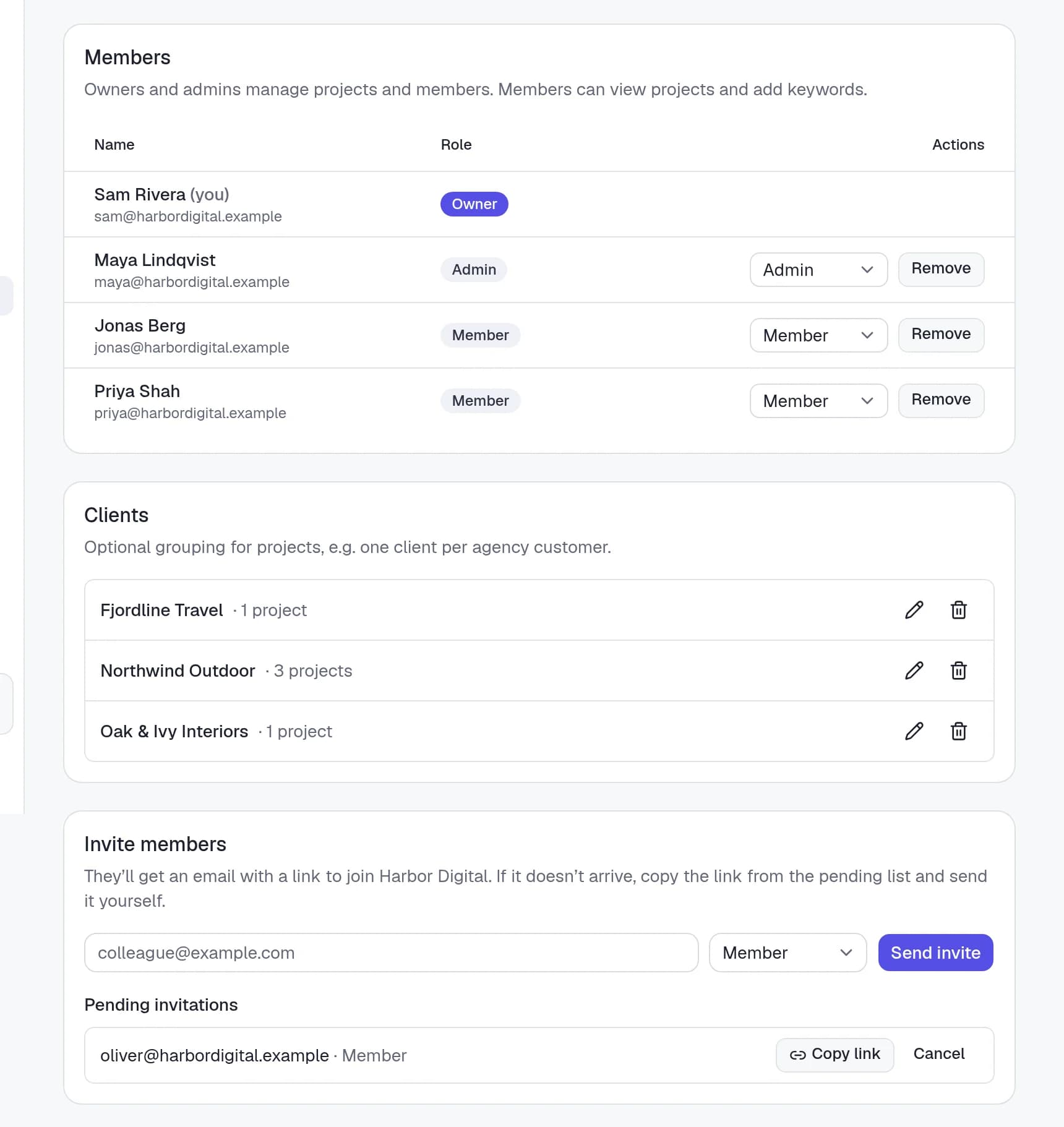
The whole team, with the right access
Owners and admins manage projects, members and team settings. Members see every project and add keywords. Invitations go out by email, or copy the invite link into Slack.
- Owner, admin and member roles
- Invites by email or link, valid for a week
- Several teams per person, for agencies that run more than one brand
Moving over
Bring your roster over in an afternoon
- 1
Add each client
Create a project per site and market, and file it under the client’s name.
- 2
Paste the keywords
Up to 1,000 at a time, or pick from what the site already ranks for. Each one is checked immediately.
- 3
Share the reports
Design your report template once, then send every client their own live link.
Built for agencies, answered
Questions, answered
Is there a limit on clients or projects?+
No. Clients, projects, countries, teammates and report links are unlimited on every plan. Only tracked keywords are billed.
Can clients see each other’s data?+
No. Each report link shows only the projects you pick for it, and links can be switched off or regenerated at any time.
Can I bill clients for their keywords?+
Billing shows your usage broken down by client and project, so you can pass costs on however you like.
Can clients log in?+
Clients open a live report link without an account. Read-only client logins are on the roadmap.
Do freelancers and in-house teams use it?+
Yes, with exactly the same features. They usually just have one client.
Your whole roster.
One bill per keyword.
Add your clients, invite your team and share branded reports today. Start with 10 free keywords.