Rankings and real clicks,
side by side.
Link each project to its Search Console property and every tracked keyword shows the clicks, impressions and CTR it actually earned, next to the position we check daily. On every plan, read-only.
What you get
Search Console, where you already look at rankings
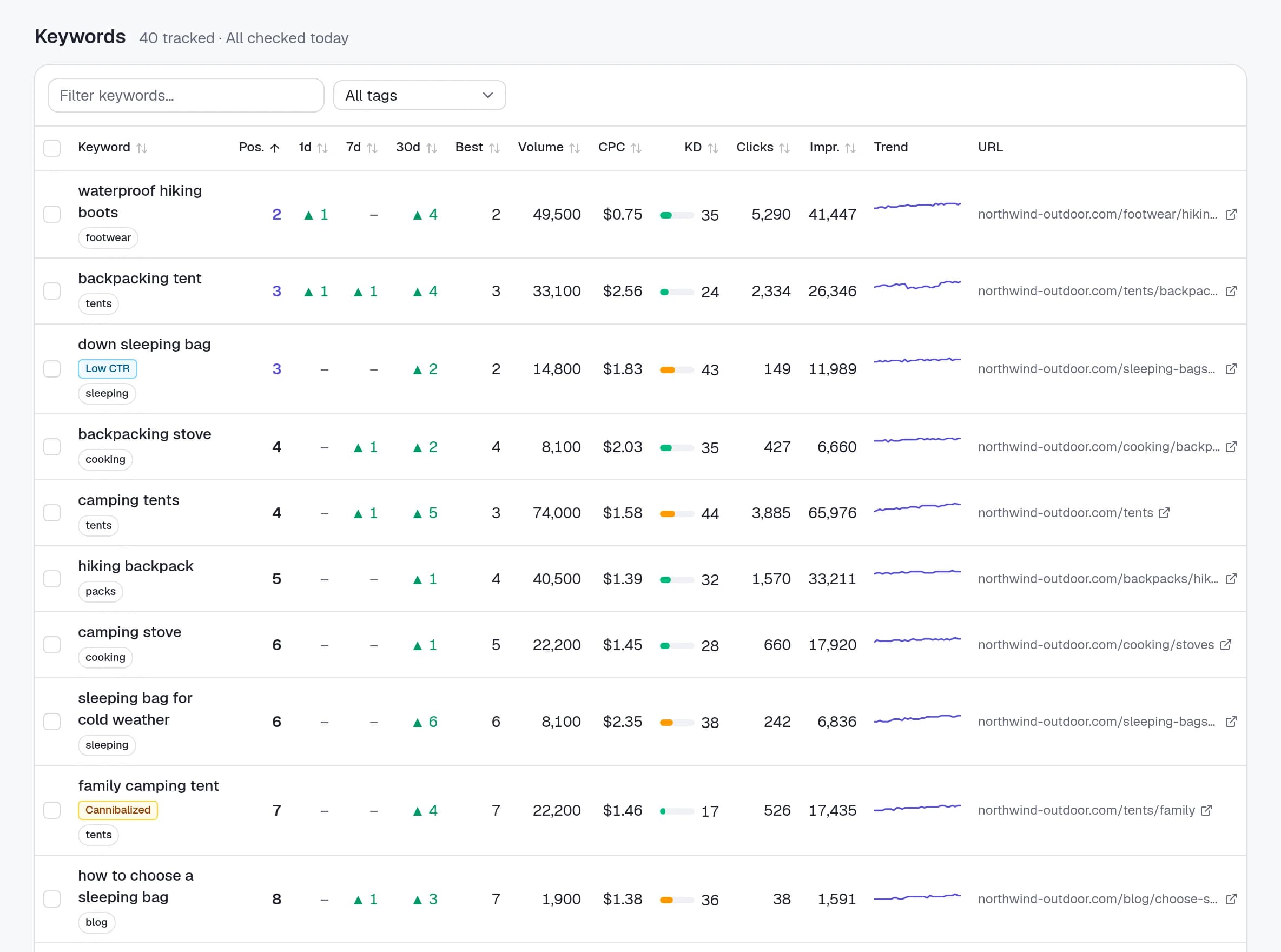
Clicks next to positions
Clicks, impressions and CTR for the last 28 days on every tracked keyword, sortable like any other column.
16 months on day one
We import up to 16 months of history when you link a property, so a keyword you just added has a chart instead of an empty line. Then it syncs daily.
Traffic value
Clicks multiplied by the keyword’s CPC: what that traffic would cost as ads. A number clients understand.
Google’s position, too
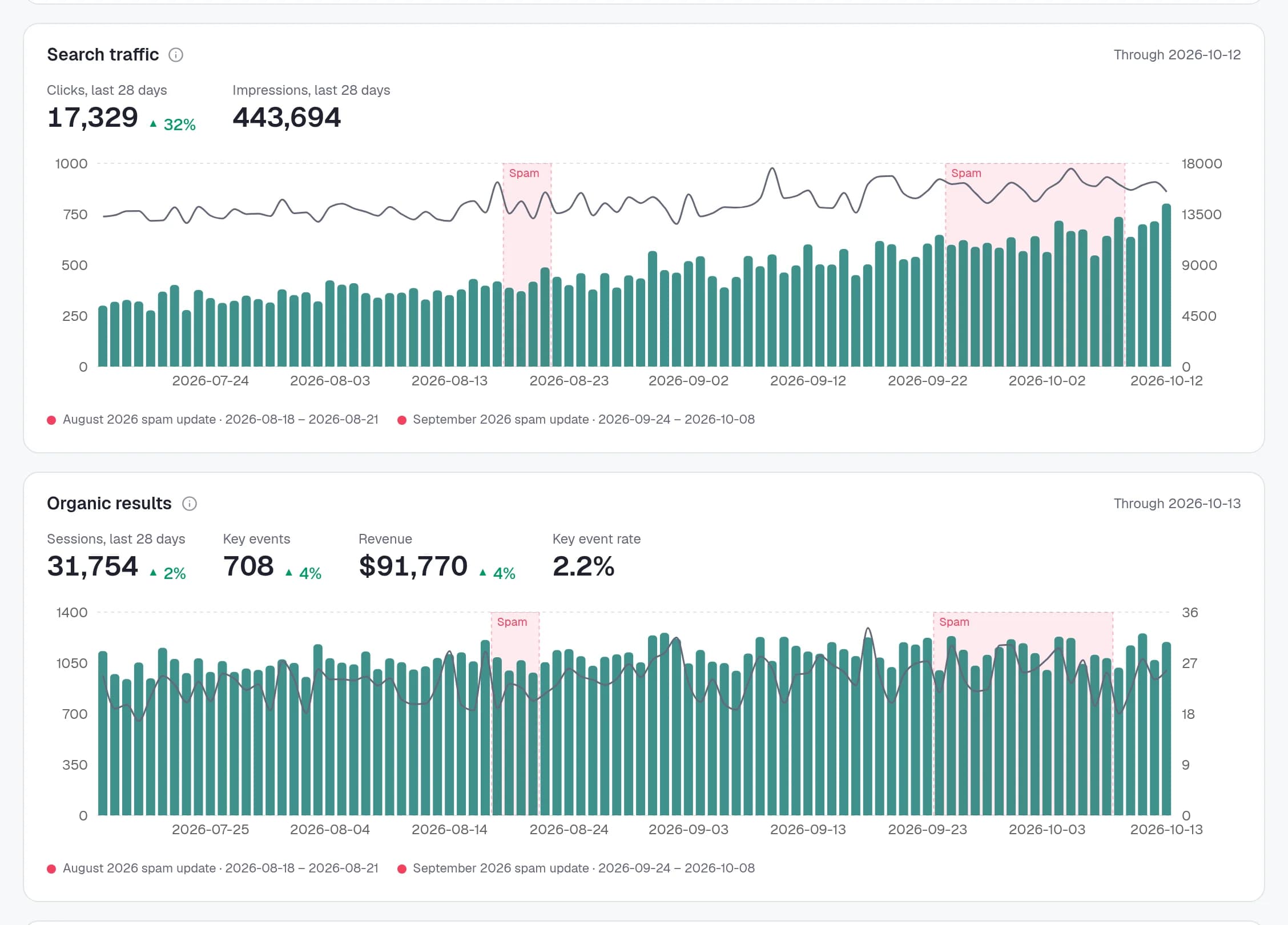
Search Console’s average position is drawn as a second line on the keyword chart, kept separate from our daily check because Google averages it over every search and device.
Striking distance
Searches you get impressions for at average position 4–20 but don’t track yet. A small push moves them onto page 1.
Keyword ideas
Every query with impressions that isn’t tracked shows up in suggestions, so you can add the ones that matter in one click.
In the client report
Show the traffic, not just the positions
Turn on the Search traffic section and the clicks and impressions columns in your report template, and every client report shows their Google clicks and impressions next to the rankings, with the change against the previous period.
Both are off by default, because a report link shows its data to anyone who has it. You decide which clients see what.
Health checks
Find out why a keyword is stuck
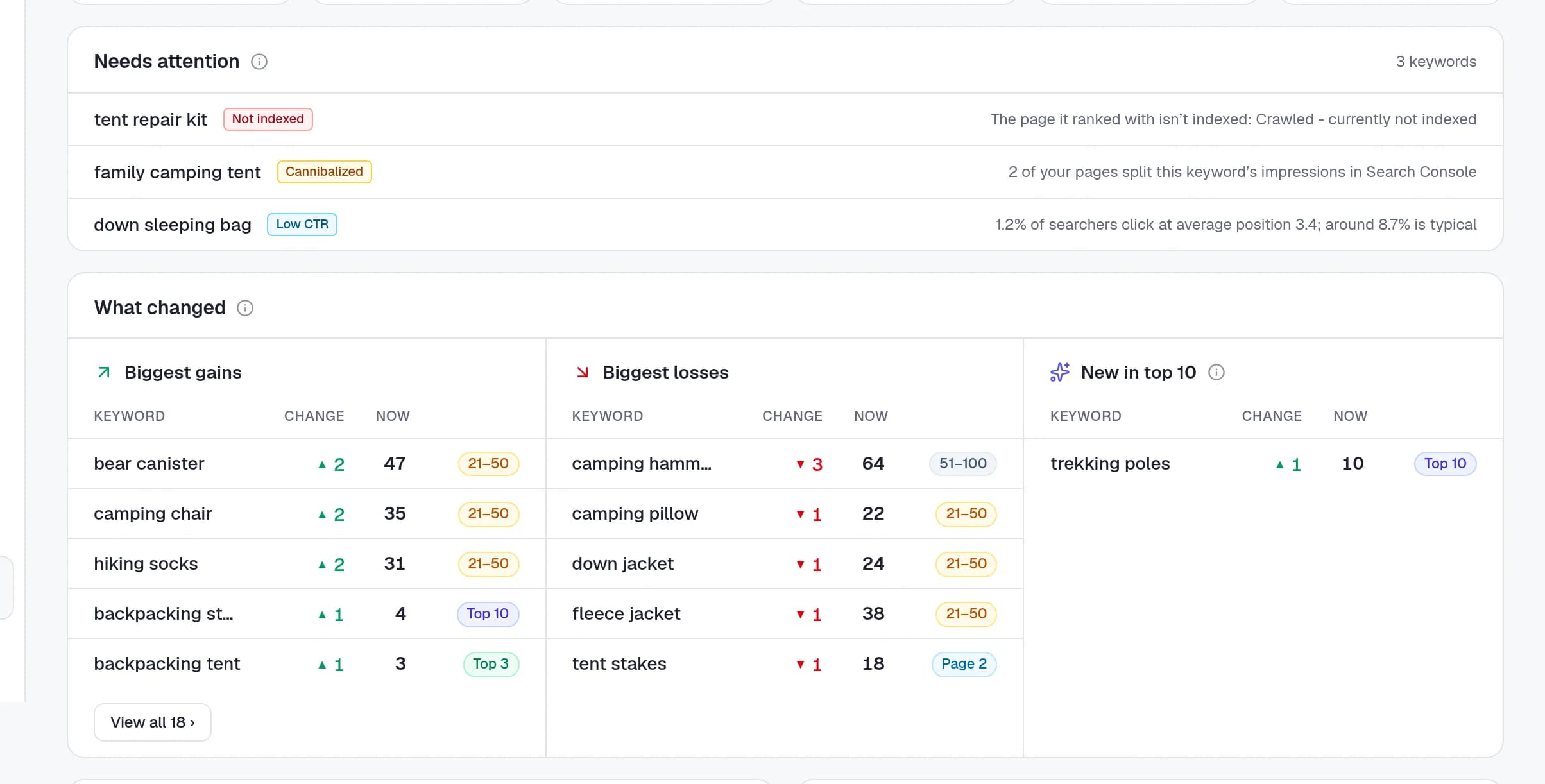
With Search Console linked, Rankzon also flags keywords where two of the site’s pages compete for the same search, top-5 results that get far fewer clicks than they should, and pages that dropped out of Google’s index, with the reason Google gives.
Setup
Linked in a minute
- 1
Connect Google
Sign in with the Google account that can see your clients’ properties. Access is read-only.
- 2
Pick the property
We suggest the property that matches the project’s domain. Owner, full and restricted access all work.
- 3
History arrives
Up to 16 months are imported in the background, filtered to the project’s country, then synced every day.
Google Search Console, answered
Questions, answered
Does it cost extra?+
No. Search Console is included on every plan, including the free one. You only pay for tracked keywords.
What access does Rankzon need?+
Read-only access to Search Console. We can’t change anything in your properties, and you can disconnect at any time.
Why is Search Console’s position different from Rankzon’s?+
Search Console averages your position over every search, device and location in the period. Our daily check is one Google results page for the project’s country. Both are useful, so we show them separately.
How much history do I get?+
Up to 16 months, which is everything Search Console keeps, imported when you link the property. After that it syncs daily.
Will my clients see Search Console data?+
Only if you switch it on. The Search traffic section and the clicks and impressions columns are off by default in report templates.
Can I use one Google account for many clients?+
Yes. Connect the account that has access to your clients’ properties and link each project to its own property.
Positions and clicks,
in one place.
Connect Search Console on any plan, free included, and see 16 months of clicks next to your rankings today.