Turn five keywords
into the fifty that matter.
Every tracked keyword comes with search volume, difficulty and CPC, and every project comes with keyword ideas from four sources. Pick the ones worth tracking and add them in one click.
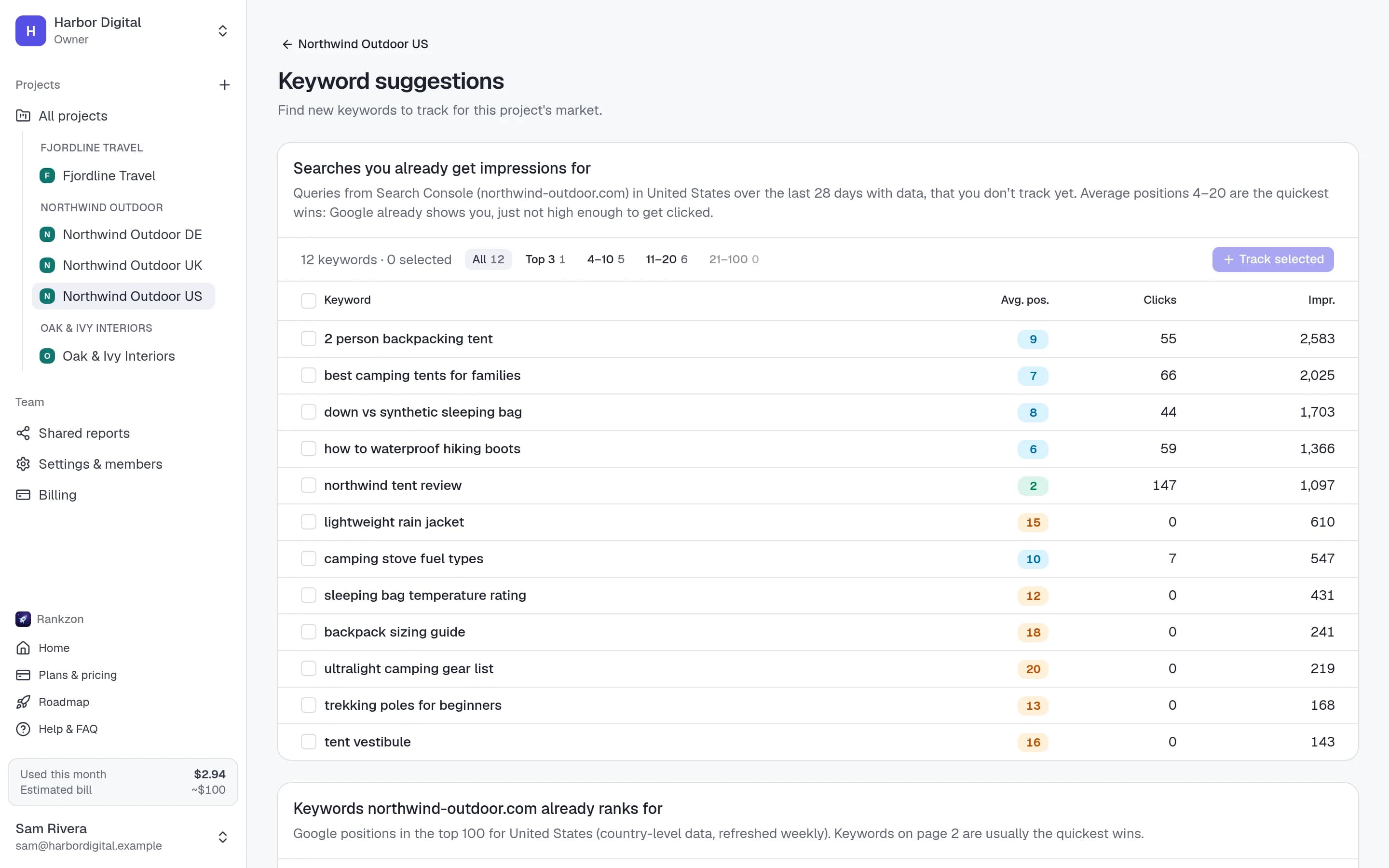
Four sources of ideas
Ideas from where your client already shows up
Already ranking
Up to 1,000 keywords the domain already ranks for in the top 100, filterable by top 3, 4–10, 11–20 and 21–100.
From a seed keyword
Suggestions and related keywords for any seed term, with the domain’s position where it already ranks.
Google’s related searches
The related searches Google shows on the results pages we check for your tracked keywords.
Search Console queries
Searches the site gets impressions for but you don’t track yet, when Search Console is linked.
Keyword metrics
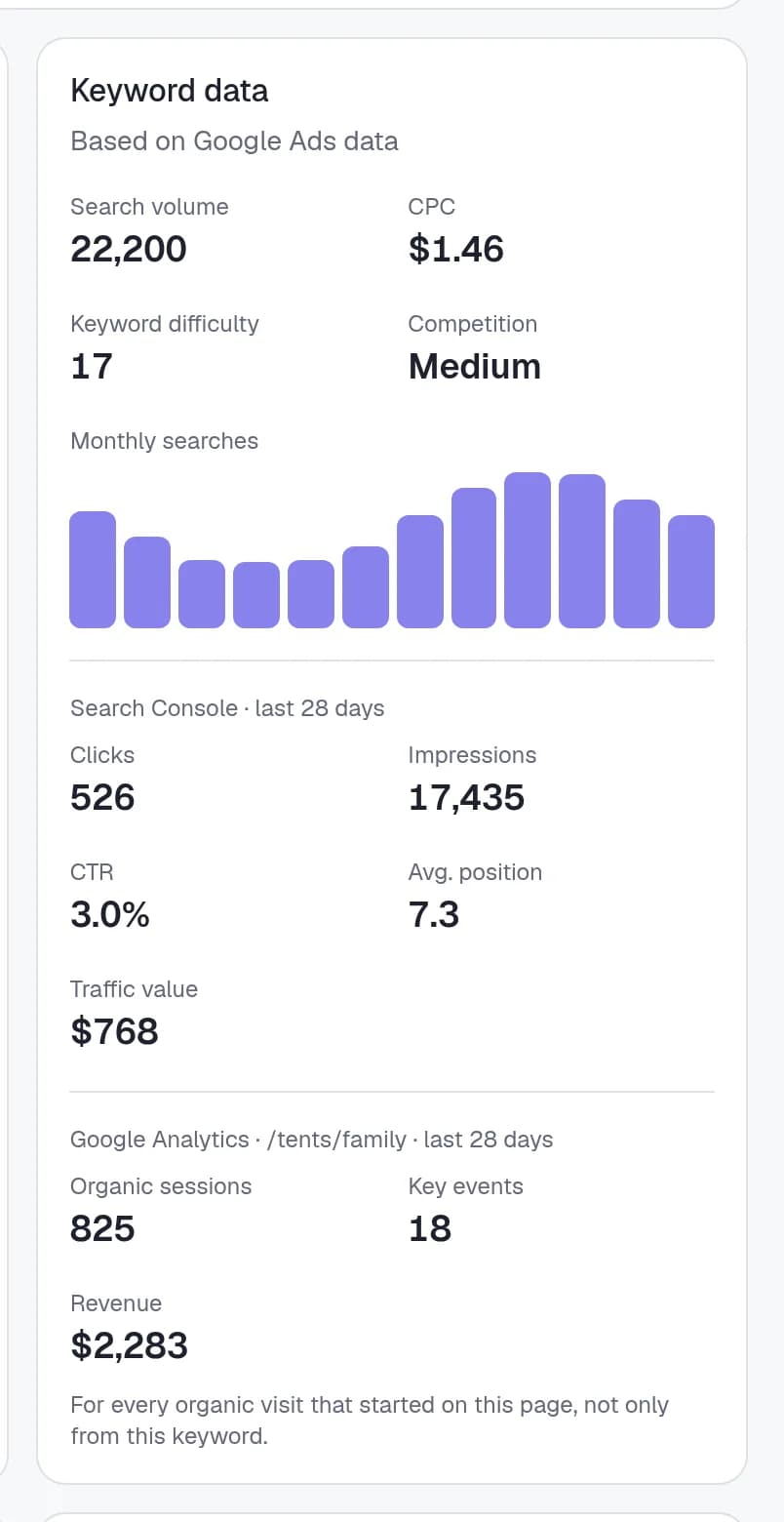
Volume, difficulty and CPC on every keyword
Each keyword shows its monthly search volume, cost per click and competition from Google Ads data, plus a keyword difficulty score and a 12-month bar chart of searches, so seasonal keywords don’t surprise anyone.
Metrics appear within seconds of adding a keyword and refresh every month. They sit right next to the position, so you can show a client which wins actually matter.
- Monthly search volume and 12-month trend
- CPC and competition level
- Keyword difficulty, 0–100
Workflow
From a client’s shortlist to a full keyword set
- 1
Start with what ranks
Pick from the keywords the domain already ranks for when you create the project.
- 2
Expand from seeds
Enter a seed term per service or category and pick the ideas with the volume and difficulty you want.
- 3
Track and report
Selected ideas are tracked daily from the moment you add them.
Keyword research, answered
Questions, answered
Where does the search volume come from?+
From Google Ads data for the project’s country and language, the same source the Google Ads Keyword Planner uses.
Is keyword research charged separately?+
No. Suggestions and metrics are included on every plan. You only pay for the keywords you choose to track.
How often are metrics updated?+
When you add a keyword, and again every month.
Why do some keywords have no volume?+
Google Ads doesn’t report volume for very long keywords (over 80 characters or 10 words) or for searches too rare to measure.
Can I see keywords a site already ranks for?+
Yes, up to 1,000 keywords in the top 100 per project, which is the quickest way to set up a new client.
Find the keywords worth tracking.
Then track them daily.
Create a project and see what the site already ranks for in seconds. 10 keywords are free.