Every keyword, every day.
All the way to position 100.
Rankzon checks Google for every keyword you track once a day and finds your page wherever it ranks in the top 100. Pages 2 to 10 are included on every plan, so the climb shows up months before page 1 does.
10 keywords free, no card. Then $0.09 per keyword a month.
Up to top 100
Page 1 is the finish line. Pages 2–10 are where you win it.
Most SEO work shows up long before it reaches page 1. A keyword moving from 64 to 31 to 13 is the work paying off, and it is exactly what a page-1-only tracker hides: a dash every day until the day it lands.
Rankzon tracks every keyword wherever it ranks up to position 100, every day, at the same price per keyword. There is no “top 20” default to remember to change and no extra rate for depth.
- Positions 11–30 are the quickest wins in any account: sort by position and you have next month’s plan
- Keywords outside the top 100 stay on watch, so you see the day they break in
- Best-ever position kept per keyword, so a temporary dip never erases a win
- 1–10vacation rentalscabin rentals
- 11–20places to stay in rome
- 21–30beach house rentalslake cabins
- 31–40
- 41–50holiday homes
- 51–60
- 61–70apartments for rent
- 71–80
- 81–90cottages uk
- 91–100
A page-1-only tracker shows two of these eight keywords. Rankzon shows all eight, every day.
How the daily check works
Real Google results, every day
Every check is a real Google results page for the project’s country and language, requested with personalisation off, so it matches what a logged-out searcher there sees.
Organic results only
Ads, maps and other boxes don’t count, so position 3 means three organic results from the top, the way an SEO reads it.
Your best page counts
When several of your pages rank for a keyword, the highest one counts, and the page that ranks is shown next to the position.
A complete history
Checks run every day without you lifting a finger, so a keyword’s history has no gaps to explain in the monthly report.
The keyword table
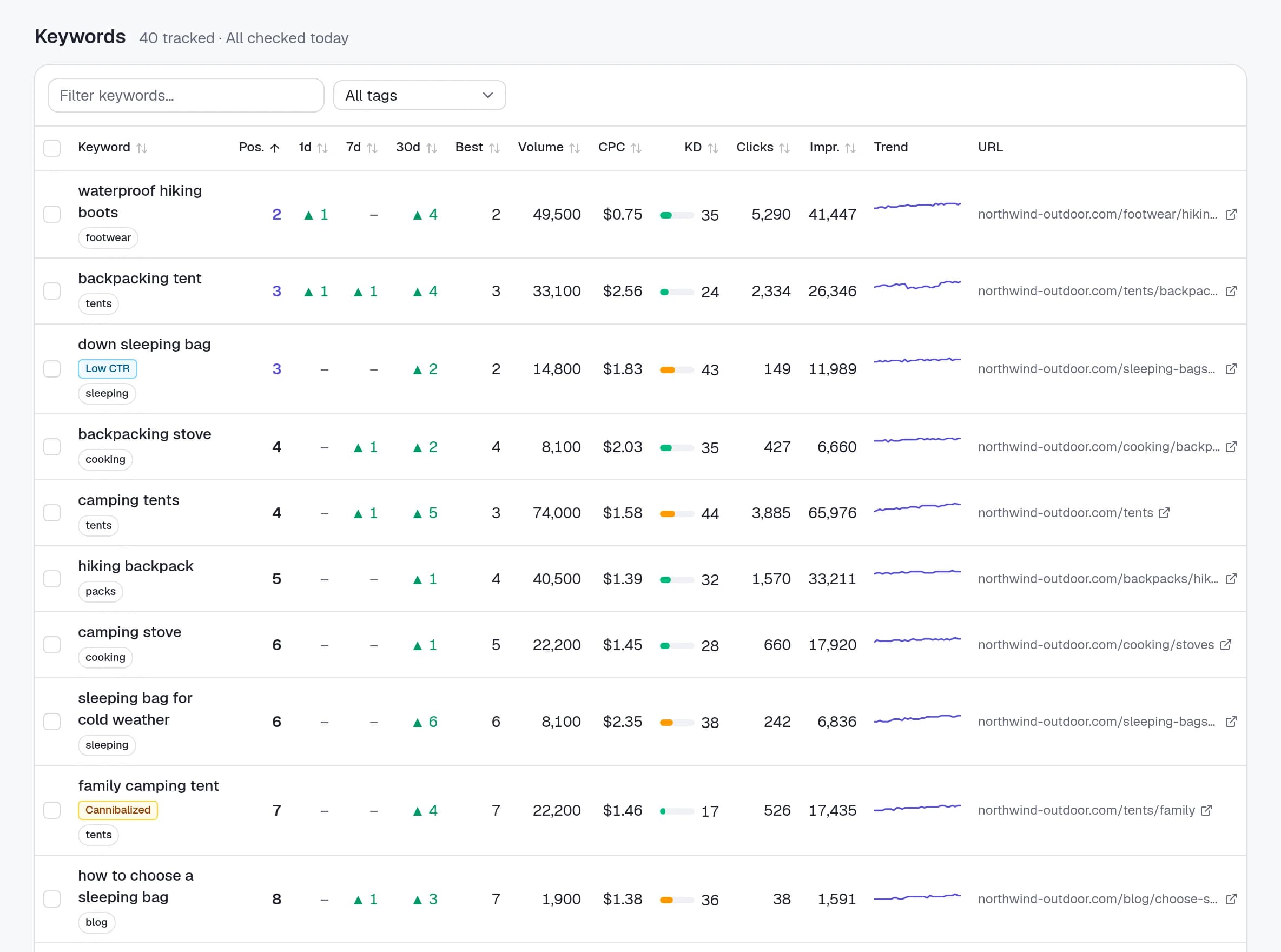
Everything about a keyword on one line
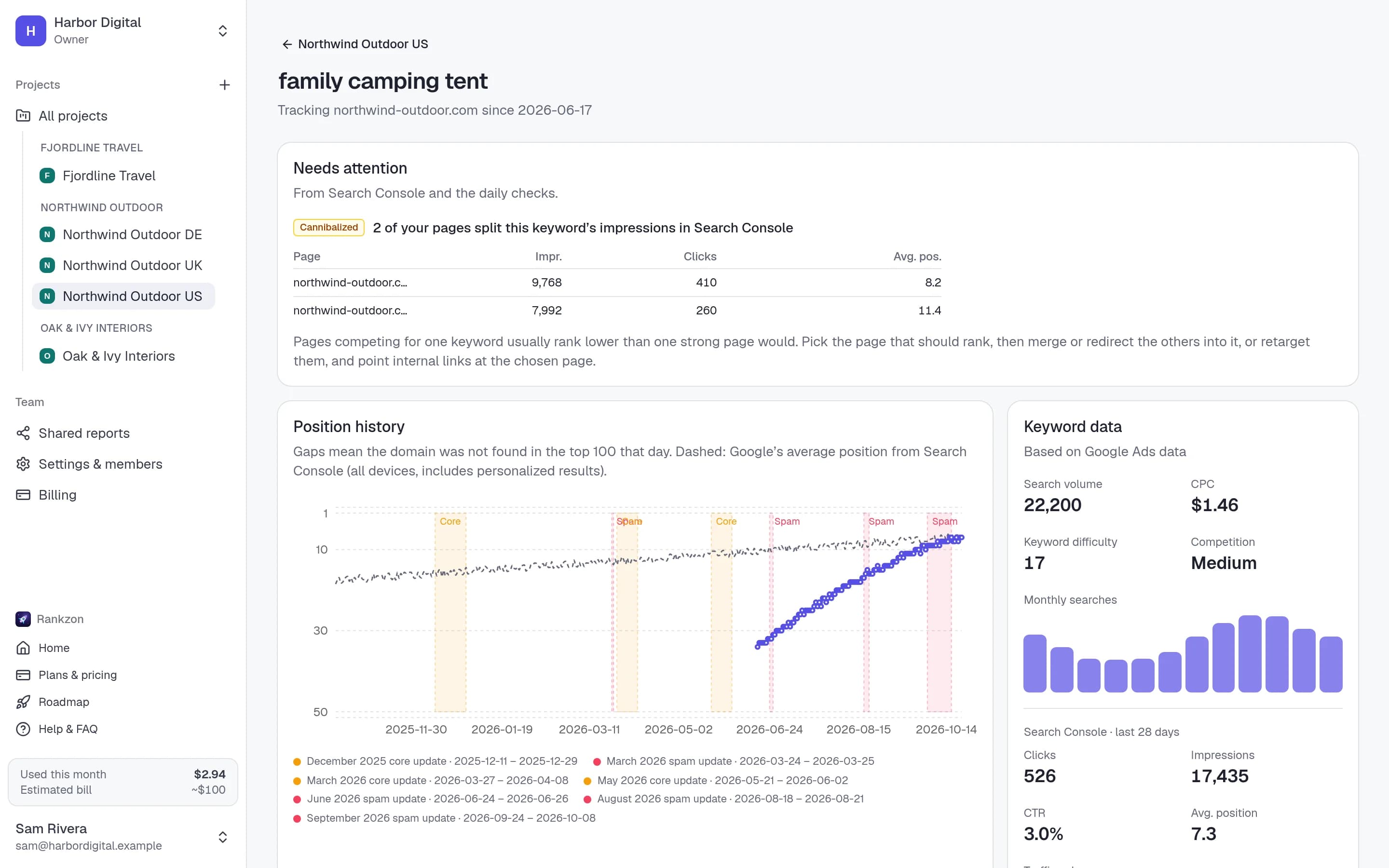
Each keyword shows today’s position, its change over 1, 7 and 30 days, its best position, the page that ranks, search volume, CPC and difficulty, and a 30-day sparkline. Sort by any column, search, filter by tag, and export the lot to CSV.
New keywords get their first position within seconds of being added, so you can paste a client’s list on a call and talk about it straight away.
- Add up to 1,000 keywords at a time, one per line or comma-separated
- Tags for grouping keywords by topic, service or landing page
- Count subdomains as the site, or only the exact domain, per project
Getting started
Tracking in under five minutes
- 1
Add a project
Enter the domain, pick the country and the language people there search in. That’s one project; add one per market.
- 2
Paste your keywords
Or pick from the keywords the site already ranks for, with volume and difficulty next to each.
- 3
Check back in a few seconds
Every new keyword gets its first position within seconds, then it’s checked again every day. History, trends and movers build up from day one.
Daily rank tracking, answered
Questions, answered
Why track to position 100 and not just page 1?+
Because most progress happens on pages 2 to 10. A keyword moving from 64 to 13 is a result you can report and a keyword to push next; a page-1-only tracker shows nothing until it lands. Every plan tracks to position 100 at the same price.
How often are rankings updated?+
Once a day for every keyword, plus an immediate check when you add a keyword. Google’s results move around within a day, so a daily position and its trend is more useful than refreshing the same keyword hourly.
How accurate are the positions?+
Each check is a real Google results page for the project’s country and language with personalisation off, matching what a logged-out searcher there sees. We count organic results only, so ads don’t push your position down.
Which devices and search engines?+
Google on desktop today. Mobile rankings are next on the roadmap; other engines are further out.
What happens when a keyword isn’t in the top 100?+
It shows as not in the top 100. It stays on watch, so you’ll see when it breaks in.
What does it cost?+
10 keywords are free. After that it’s $0.09 per keyword a month, down to $0.07 past 2,500 keywords, counted by the day. Projects, countries and teammates are unlimited.
Start tracking today.
Every keyword to position 100.
Add a project, paste your keywords, and see where each one ranks in seconds. 10 keywords are free, no card needed.