From “we moved up”
to “here’s what it brought in”.
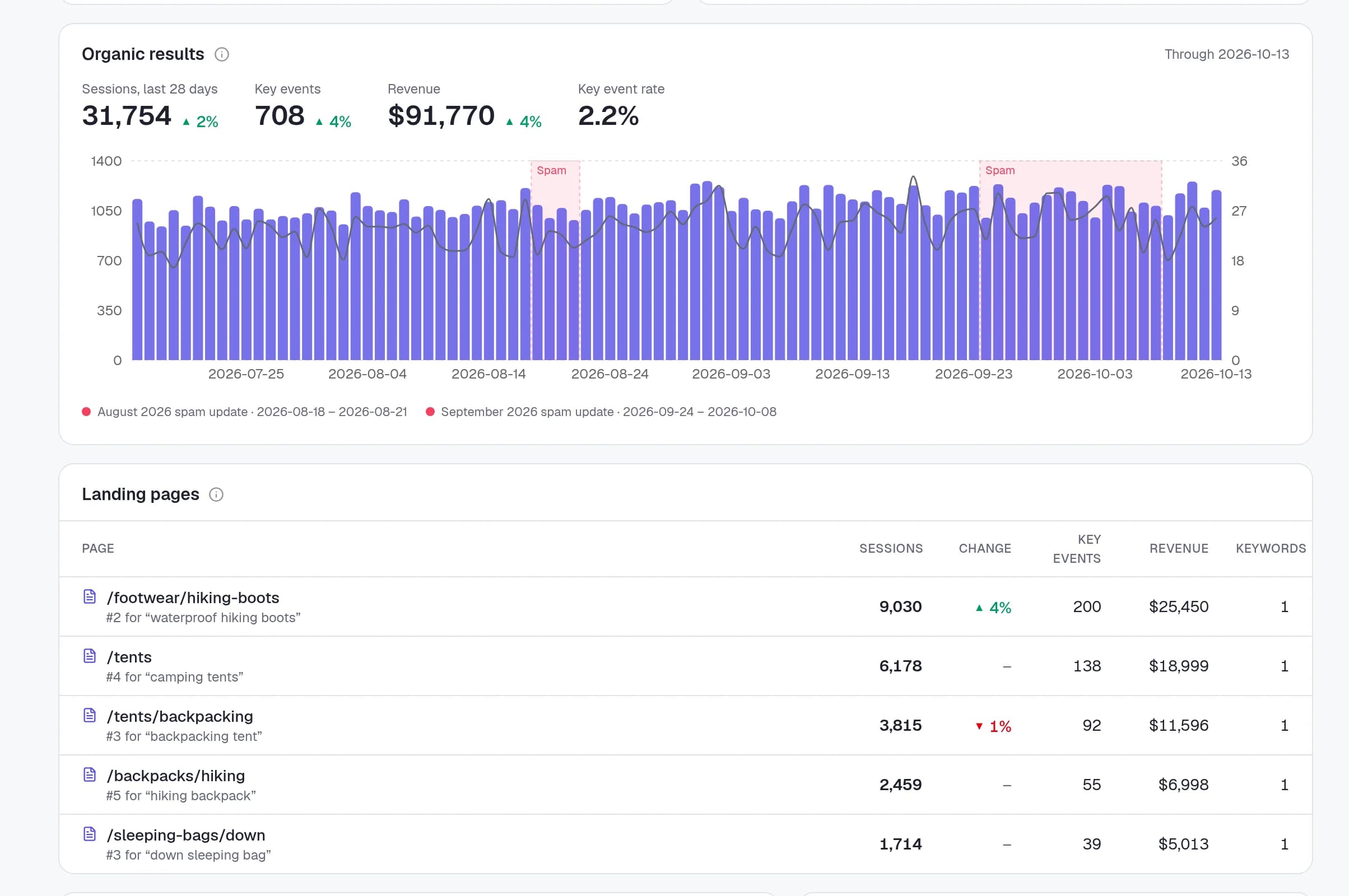
Link a project to its GA4 property and Rankzon shows the organic sessions, key events and revenue each landing page brought in, next to the keywords that rank with that page.
The missing link
Rankings, matched to the visits they earn
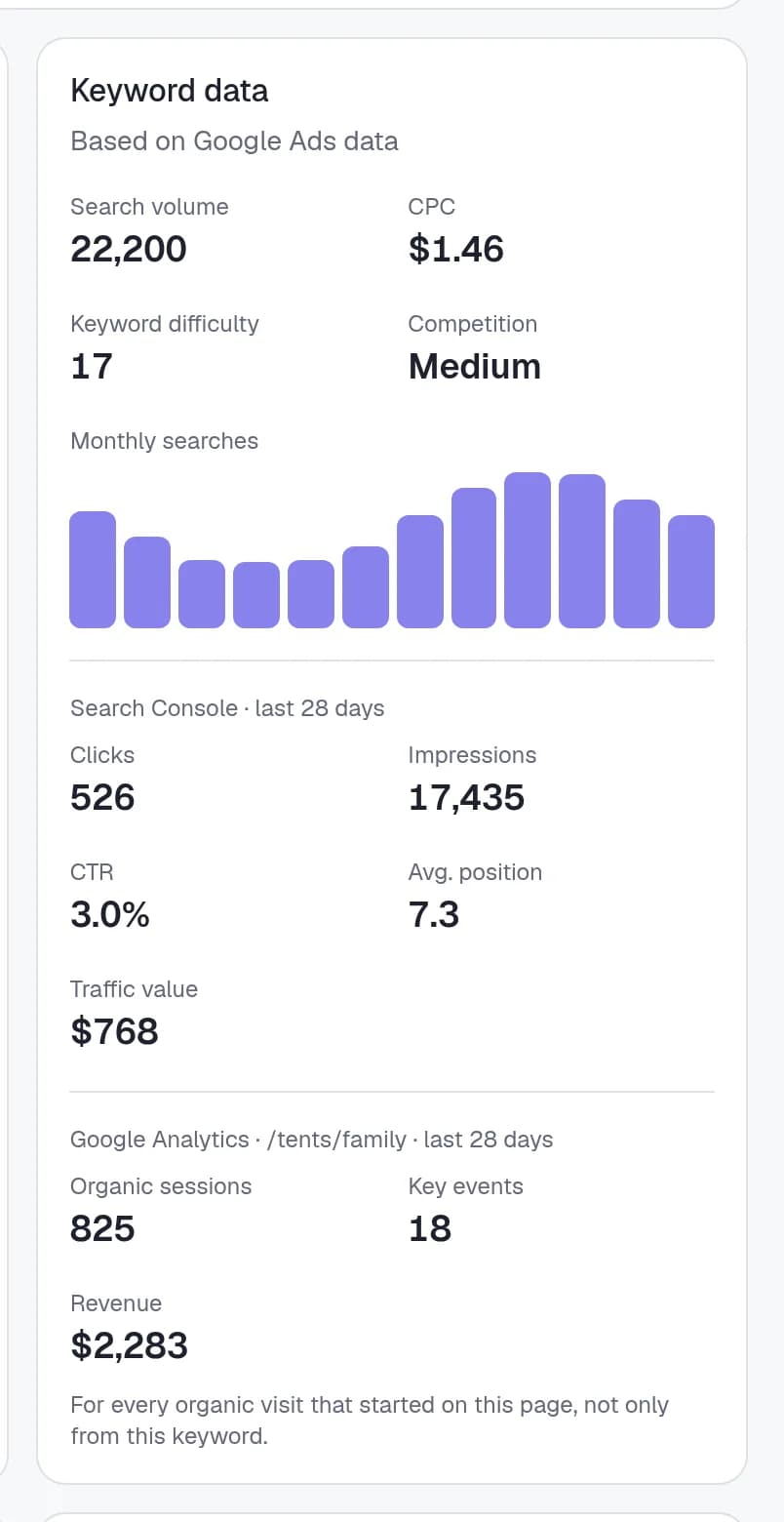
Google Analytics doesn’t know which keyword brought a visitor in. Rankzon does know which page ranks for each keyword, so it ties the two together: every landing page with its organic sessions and conversions, and the tracked keywords that rank with it.
On a keyword’s page, you see the organic sessions, key events and revenue of the page it ranks with. On the project overview, organic results over time and the landing pages that earned them.
- Organic sessions, key events and revenue
- Per landing page and day, filtered to the project’s country
- Revenue in the property’s own currency
In the client report
The report that answers “is SEO worth it?”
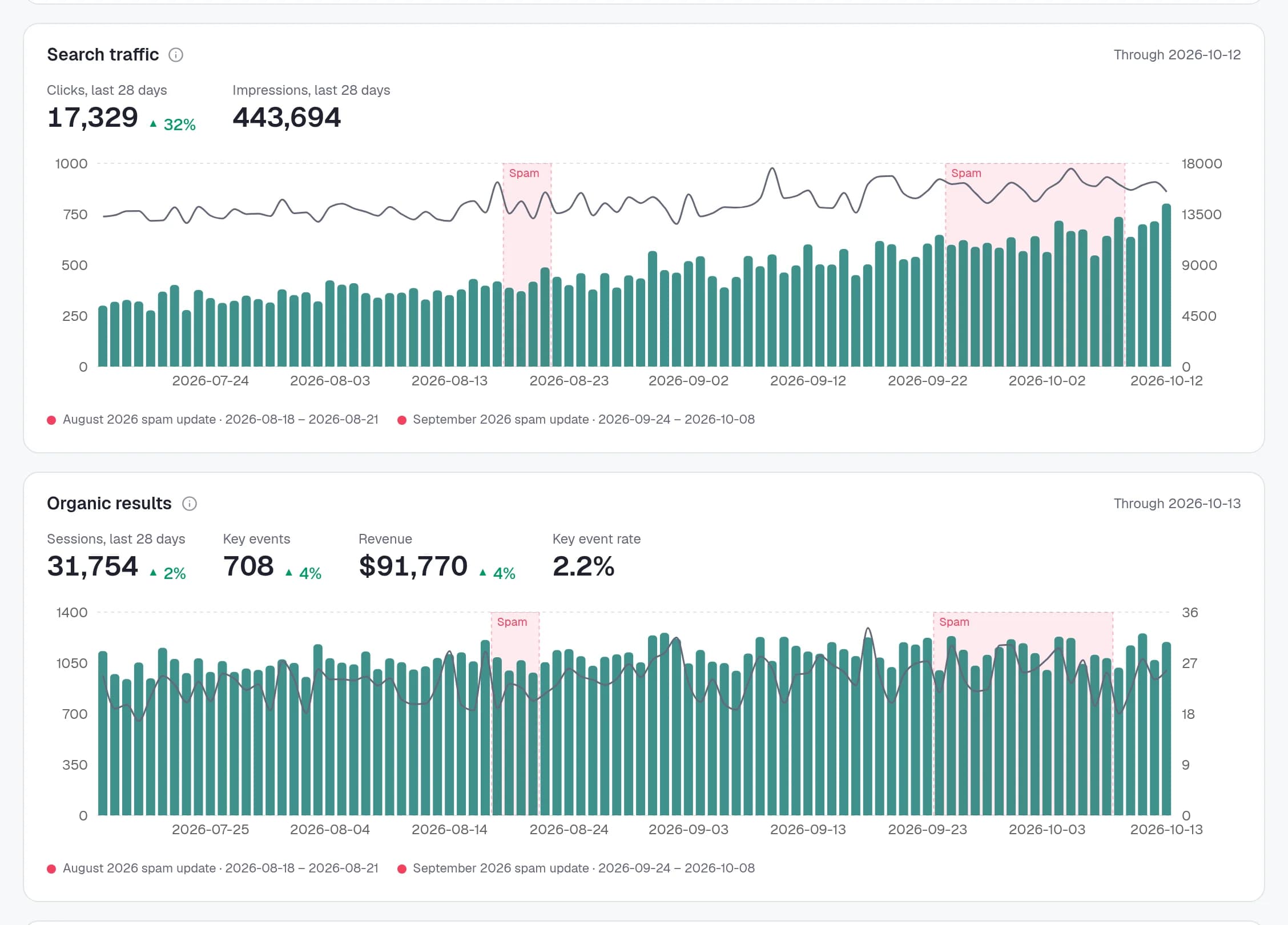
Turn on the Organic results section in your report template, and every client report shows organic sessions, key events and revenue with the change against the previous period, plus the landing pages that brought them in and the keywords each page ranks for.
It’s off by default, since a report link shows its data to anyone who has it. Switch it on for the clients who should see it.
How it works
Organic search, nothing else
GA4’s Organic Search channel
Unpaid visits from search engines, as GA4 counts them in its default Organic Search channel. Paid, social and direct traffic stay out.
16 months, then daily
Up to 16 months are imported when you link the property, then it stays in sync every day.
Read-only, opt-in
Analytics is linked per project with its own read-only consent. Nothing is shared with a client unless you turn it on in your template.
Google Analytics 4, answered
Questions, answered
Does it work with Universal Analytics?+
No, Google switched Universal Analytics off. Rankzon works with Google Analytics 4 properties.
Why doesn’t GA4 show keywords?+
Google doesn’t pass search terms to analytics. Rankzon fills the gap by matching each landing page to the tracked keywords that rank with it.
What counts as a conversion?+
Whatever you’ve marked as a key event in GA4: a purchase, a form, a call. We show the key events and revenue from organic sessions.
Does it cost extra?+
No. Google Analytics is included on every plan, like Search Console.
What access do you need?+
Read-only access to the GA4 property, granted separately from Search Console. You can disconnect it at any time.
Can clients see their revenue in the report?+
Only if you switch on the Organic results section in your report template. It’s off by default.
Show clients what SEO earns.
Not just where it ranks.
Link GA4 and Search Console on any plan, and put organic revenue next to the rankings in your next report.